Today, in 10 minutes or less, you’ll learn:
- 🎨 The AI tools that just gave you illustration and slide design superpowers
- 🔍 Why NotebookLM beats other AI document tools for research workflows
- 📊 How to transform meeting transcripts into professional presentations instantly

SPONSORED
🖋️ 2025 Year in Review Workshop

Before we sprint into the new year, let’s pause for a moment of reflection — to take stock of how far we’ve come, what we’ve learned, and what we want next.
Join us for an energizing 45-minute session designed to help you reflect on your 2025 portfolio journey and start shaping your roadmap for 2026.
To get your brand in front of 7k+ professionals, founders, and consultants, fill this out and let's chat.
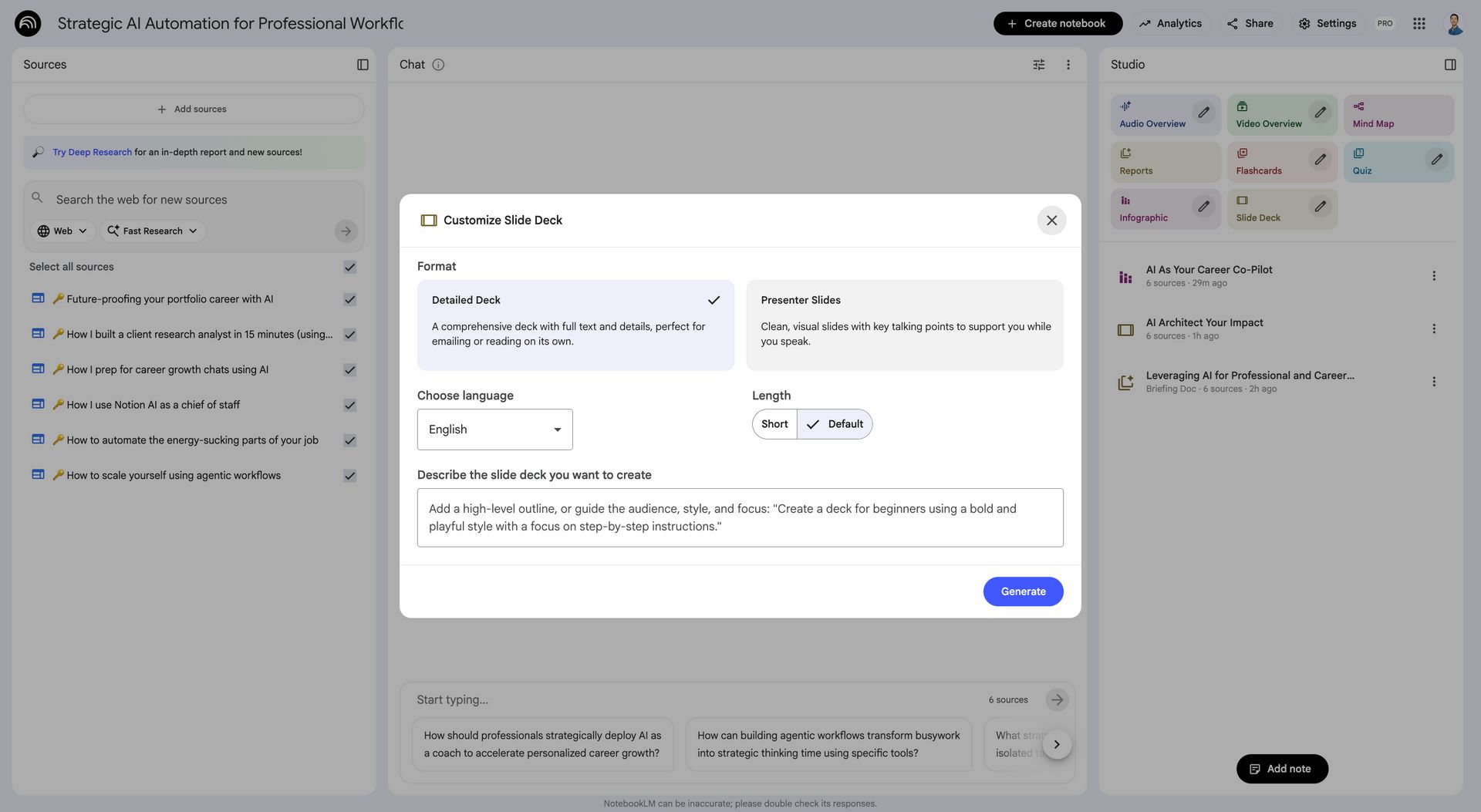
📗 NotebookLM builds my slide decks now
I hate creating slides.
I’m writing this as I fly from London back to Singapore after visiting our portfolio accounting firm for the first time.
On this trip, I showcased a product demo and created slides using Canva, my go-to presentation tool for the past 3 years.
Even though Canva sped up slide creation, I still spend way too much time tweaking font sizes, dragging-and-dropping rectangles, and aligning layouts.
That’s why my mind was blown when I tested Gemini 3, Nano Banana Pro, and NotebookLM’s Slide Deck.
🗺️ My AI journey milestones
I’ve personally had a few AI magic moments that transformed how I work:
- My first ChatGPT conversation
- Using my first AI meeting transcription + notetaker
- Writing my first newsletter using Claude + training data
- Coding my first app using Cursor/Claude Code
- Discovering AI voice dictation
Now NotebookLM Slides and Nano Banana Pro.
📚️ How I’m using NotebookLM
Google describes NotebookLM as “the AI research tool and thinking partner that can analyze your sources, turn complexity into clarity and transform your content.”
I’ve been busting out NotebookLM several times per week at work:
- Synthesizing over 20 research calls on a similar topic
- Creating summary Slack messages for our team standups/syncs
- Conversing about a research-backed idea or concept quickly
In terms of my research workflow, I’ve found it superior to other tools:
First, it’s seamlessly integrated across Google Workspace. Since my employer is using Google Workspace, I can record Google Meets and then easily import transcripts into NotebookLM.
Additionally, NotebookLM excels at citations. I reference quotes and citations very frequently in my research, so this characteristic puts it ahead of other AI document tools for me.
Here’s an example report I generated from importing my recent “AI for professionals” newsletter editions:
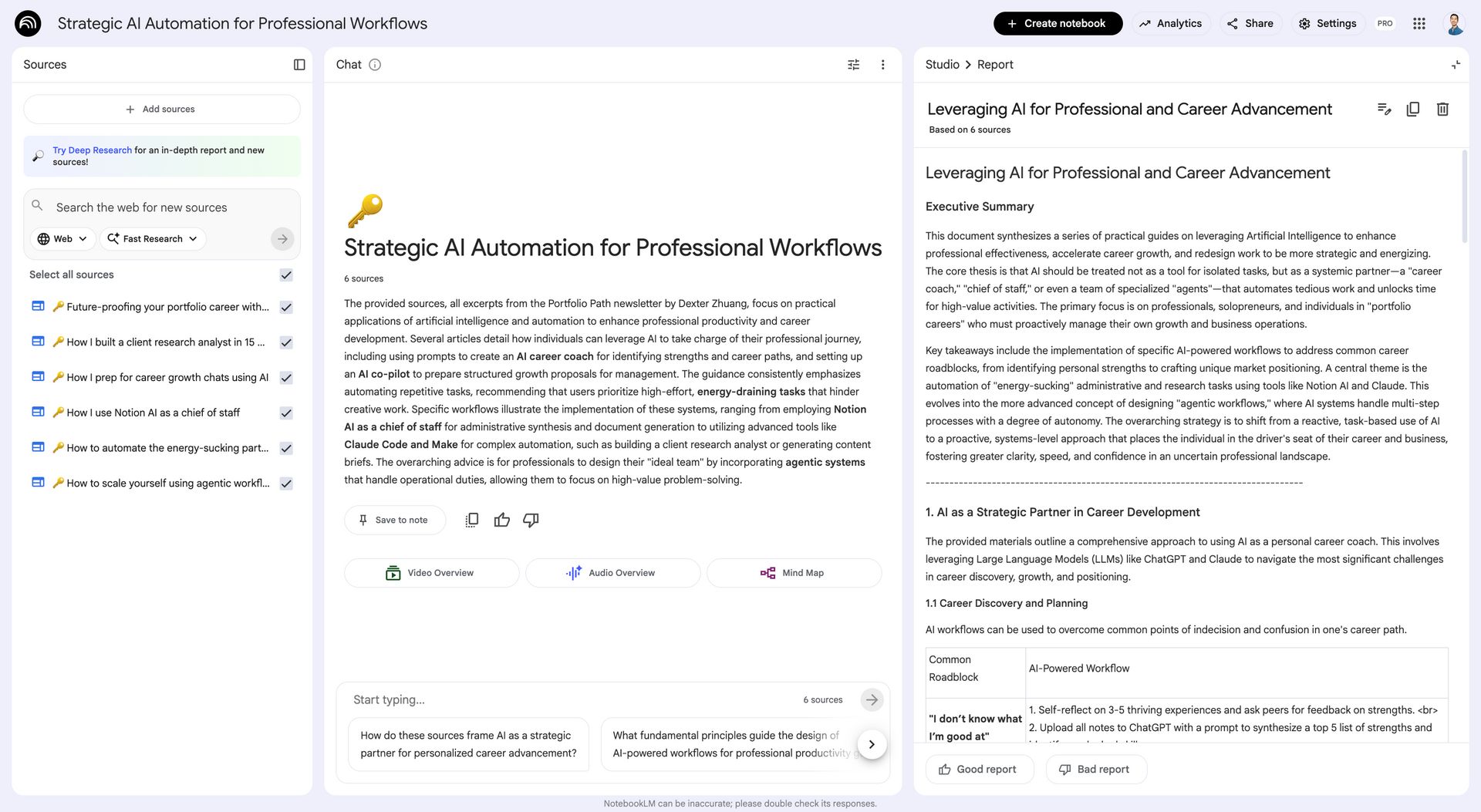
However, now with Slides, NotebookLM has gone from useful tool to potentially must-have workflow.
From the same newsletters earlier, I generated these slides:
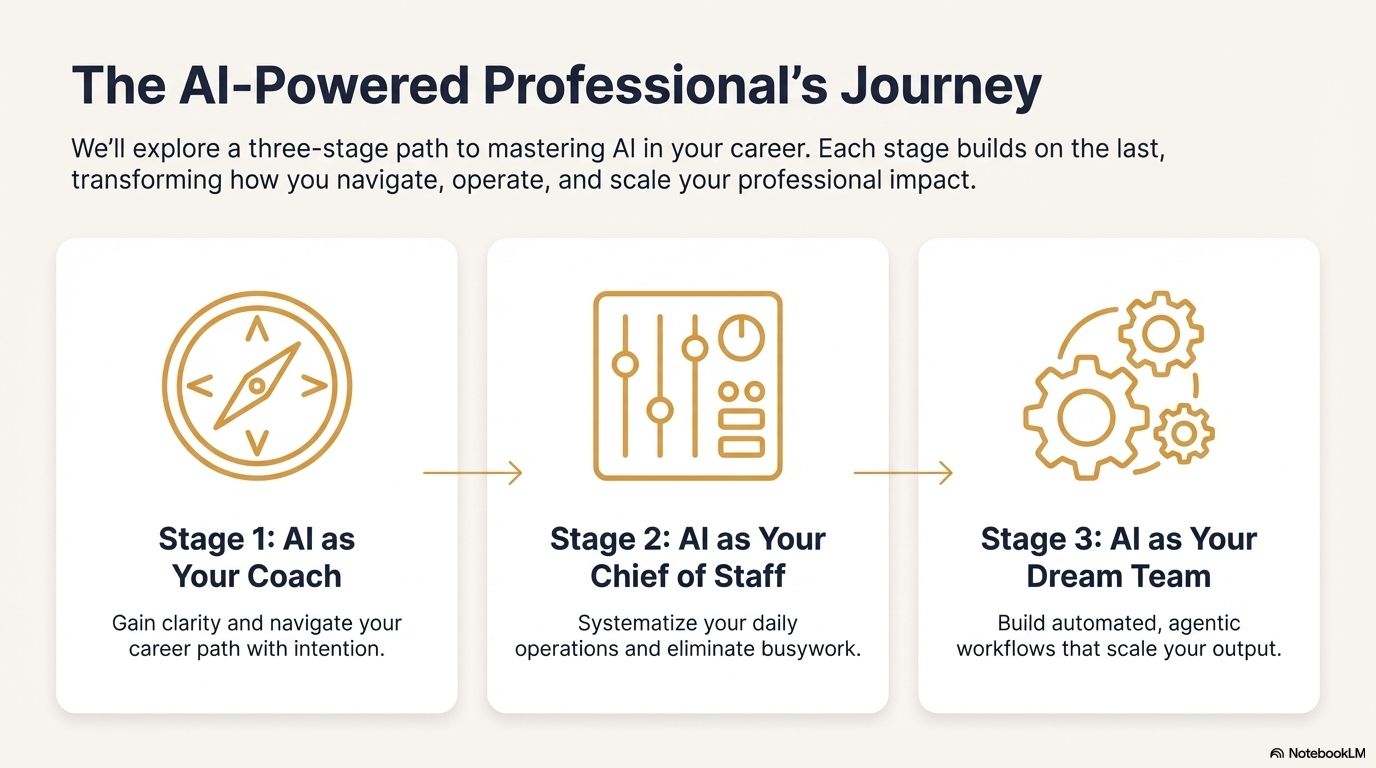
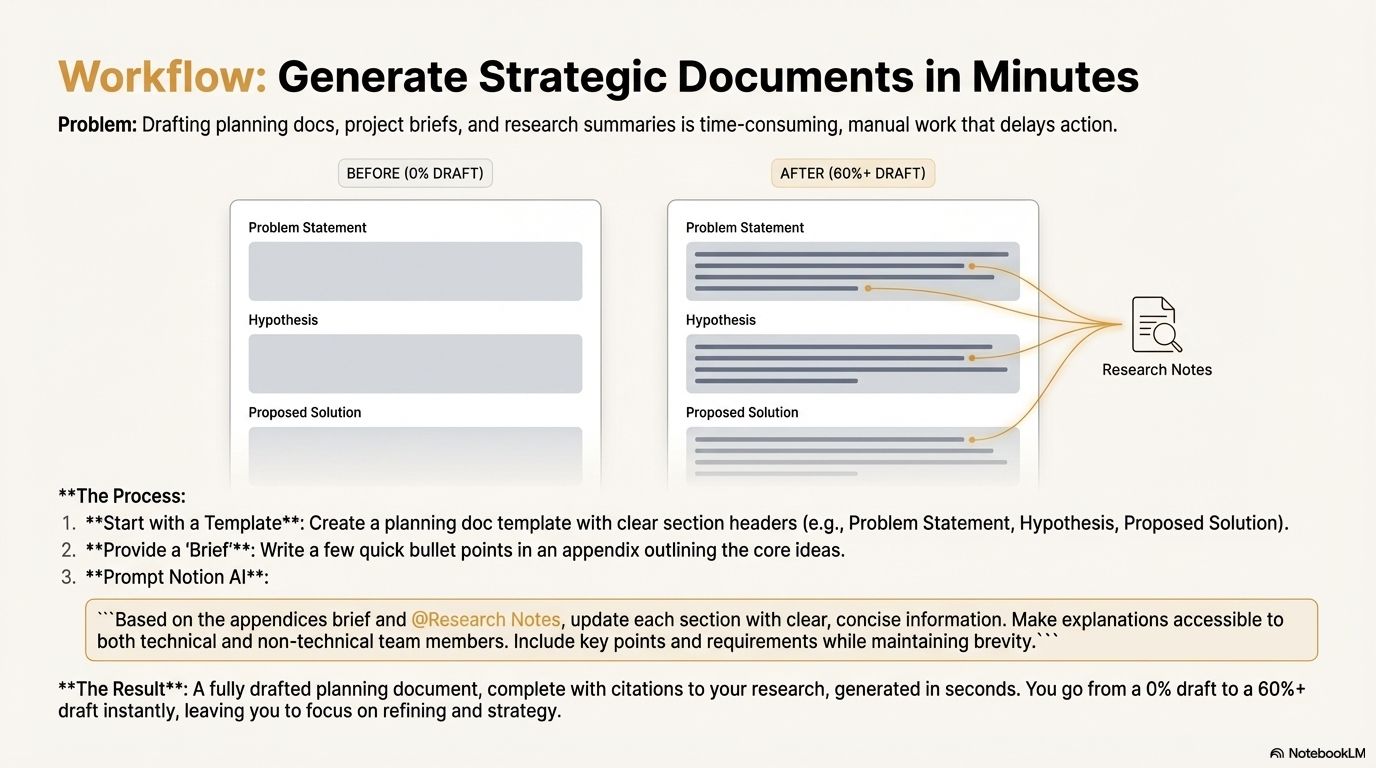
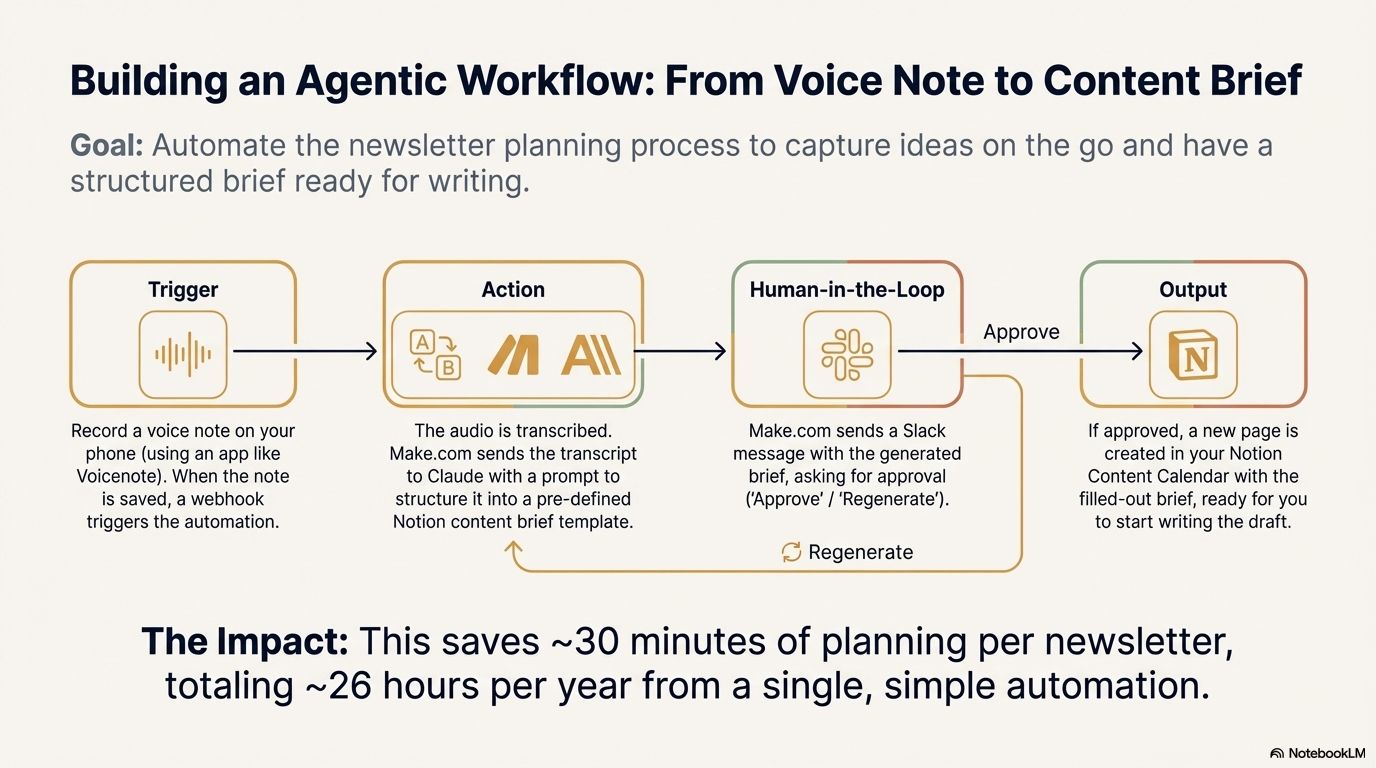
Honestly, this output is higher-quality than what I do on my own.
It feels a bit like magic.
But given my experience with unpredictable AI tools, I remain skeptical.
Next, I’m going to test NotebookLM rigorously for various use cases.
Like my recurring meeting workflows:
- Record meetings transcripts and video
- Import meeting transcripts
- Generate summary snippets for Slack/email/etc
- Add additional dot points for next meeting
- Generate Slides for next meeting
I’d love to get to a point where I’m fully hands-off for recurring meeting communications - aside from planning agenda for next meeting.
Things to keep in mind as you’re playing around with NotebookLM:
- Start with research or ideation use cases - In my experience, NotebookLM is stronger than other models for these use cases.
- Start with good source material - NotebookLM is only as good as the content you feed it. Garbage in, garbage out.
- Tailor with a last-mile prompt - You have the option to customize by using your own high-level outline, strategy, style, or dot points - which will help you get closer to your desired output.
🍌 Bonus: Nano Banana Pro
Nano Banana Pro is Gemini 3’s image generation and editing model. It’s available for Google Workspace customers in Google Slides, Vids, Gemini, and NotebookLM.
The output quality is insane. Night-and-day vs previous image models.
Here’s an illustration I generated from a one-shot prompt:
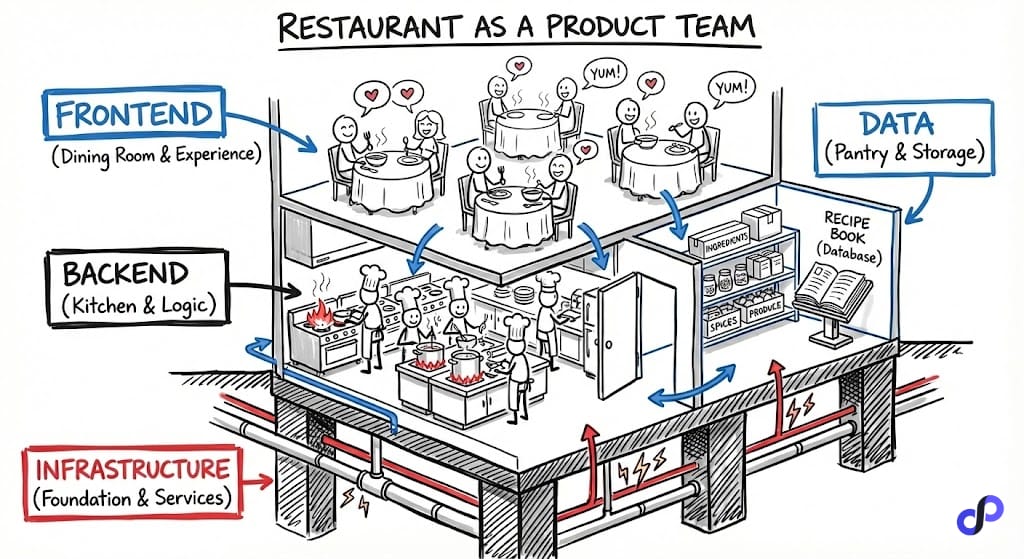
Visuals are now table-stakes for communicating ideas.
I’ve always wanted add entertaining illustrations in Portfolio Path newsletter and my work docs - but simply got too lazy.
Finally, with Nano Banana Pro, I have no more excuses!
In Summary
NotebookLM is fundamentally changing how I approach my operational workflows.
While it’s still early days, I can already see how slides that used to take me 2-3 hours to build now takes ~15 minutes.
And the quality is often better than what I'd create manually.
The barrier to creating professional-quality outputs keeps dropping.
Five years ago, you needed design skills to make decent slides. Today, you need good input data and a lightweight prompt. But that’s about it.
I suspect in another five years, even customizing the prompt won't be necessary.
The future is bright.
P.S. What workflows have you used NotebookLM or Nano Banana Pro for? Hit reply and let me know.
P.P.S I’m hiring full-stack software engineers - DM me if the roles below sound interesting:
- Product Engineer JD (Singapore/South East Asia)
- Product Engineer JD (Cantonese-speaking, Singapore/HK)
💎 Last Week’s Gems
🚂 The Railway Bubble vs. the AI Bubble (Ben Carlson)
⚙️ Agentic Workflows Explained (Department of Product)